Get Your Superpowers How to Get Powers
From ordinary student to Fire, Ice, Wind, Lightning—and whatever else the update adds.
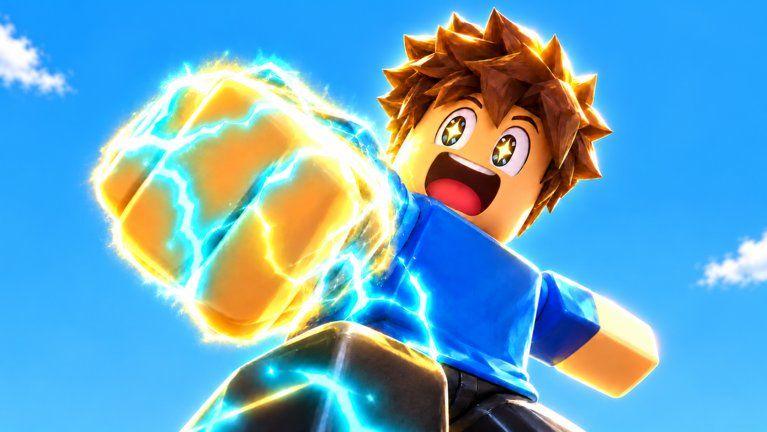
Players search how to get powers in Get Your Superpowers! because the fantasy is clear: start as a normal student on campus, interact with the glowing purple crystal fantasy, and leave with superpowers. This guide explains a practical unlock workflow for the Smiling! Roblox experience without inventing drop rates the studio has not published. Pair it with Getting Started if you have not finished your first hour, and with Tier List once you own more than one option.
What “getting a power” usually means here
In idle / simulation Roblox games, a “power” can mean several related unlocks:
- A new ability slot or elemental theme (Fire, Ice, Wind, Lightning appear in promotional media)
- A passive that improves idle training speed or caps
- A movement or combat flourish that shows other players you progressed
- A badge milestone such as Powered Up! that marks a meaningful threshold
Your live client is the authority. If a menu says “Powers,” “Abilities,” “Elements,” or similar, use that label even when this wiki uses the generic word powers.
Step-by-step unlock checklist
1. Finish onboarding and find the crystal fantasy
Join the correct place and complete tutorial prompts. Explore campus landmarks tied to the purple crystal theme—glowing props, trial rooms, or UI panels that mention tests. Early badges Super Hero Student and Test Passed! often sit near the same progression spine as your first real power moment.
2. Establish a training action that raises a meter
Powers rarely appear from standing still with zero engagement. Identify the action that increases your primary growth meter (hold to train, stand on a pad, complete a short trial, etc.). Prove the number moves over a few minutes. Progression Tips covers how to keep that loop efficient later.
3. Watch for unlock popups, new hotbar icons, and badge toasts
When something new appears, screenshot it. Note whether the unlock required a threshold (stat amount, badge, quest tick) or a one-time interaction. The Powered Up! badge is a known freebie-style milestone—earning it is strong evidence you crossed an intended power gate, even if the exact trigger text changes after a patch.
4. Open every power-related menu twice
Idle UIs sometimes hide equip toggles, evolution buttons, or elemental tabs behind a second panel. After an unlock, reopen the menu, equip or activate if required, then test on a safe stretch of campus. Controls helps if you cannot find the button on mobile vs desktop.
5. Compare elemental options without rushing a meta
Promotional shots emphasize Fire, Ice, Wind, and Lightning. Treat those as flavor anchors, not a guaranteed closed list—updates can add themes. When you have multiple powers, park theorycrafting on the Tier List and keep grinding the one that best feeds your current bottleneck (raw idle rate vs clear speed vs utility).
6. Recheck Codes and updates after big unlocks
Sometimes a code drop or patch changes early unlock pacing. Visit Codes and Updates / Changelog after major milestones. As of November 2026 there are no active public codes, but the in-game Codes button remains part of a complete power-hunter routine.
How to learn unlock rules when wiki pages lag
Because the game launched 2026-10-12 and public documentation is limited, use an in-client science method:
- Change one variable at a time (only train, only explore, only talk to an NPC).
- Record meter values before and after a fixed five-minute window.
- Note any new UI, VFX, or badge.
- Rejoin a fresh server to see if the unlock persisted (account-bound vs session fluff).
- Ask politely in-server or follow Smiling! channels listed on Players—do not spam trade chat with “how power??” every ten seconds.
This method beats copying rumors from unrelated superpower Roblox titles.
Multiplayer notes while hunting powers
Servers hold 24 players. Other students can show you what late abilities look like, which helps identification, but crowding a single interactable can hide prompts. If a crystal or pad feels broken, hop servers once before assuming a bug. Be courteous—see etiquette on Players.
Scripts that claim instant max powers are outside official gameplay. If you research that space, read Scripts and understand account risk; this guide assumes legitimate unlocks only.
After you unlock your first power
- Equip or activate it if the UI requires an explicit toggle
- Retest your training spot—some powers change idle efficiency
- Add the unlock to your personal notes and the next Session Checklist run
- Skim Progression Tips so the new ability feeds long-term growth instead of sitting unused
- Return here when a patch adds elements or renames menus
Getting powers in Get Your Superpowers! is less about a single secret button and more about proving the idle loop, noticing threshold popups, and verifying each claim in your own Roblox client. Stay patient, stay curious around the purple crystal fantasy, and let badges like Powered Up! confirm you are on the intended path.
Frequently Asked Questions
Quick answers for Get Your Superpowers players.
How do I unlock my first superpower?
Complete onboarding, train until a meter moves, explore crystal-related campus prompts, and watch for ability popups or the Powered Up! badge. Confirm the exact gate in your live UI.
Which elements exist in Get Your Superpowers!?
Promotional media highlights Fire, Ice, Wind, and Lightning. Treat that as a starting set—updates may add more. Verify names in your powers menu.
Do codes give powers?
Codes can grant rewards when active, but as of November 2026 trackers list none. Always try the in-game Codes button and recheck the Codes hub after updates.
Is Powered Up! required?
It is a known early badge that signals meaningful progress. Exact requirements can change; earn it naturally while following the training loop.
Where should I rank powers after unlocking several?
Use the Tier List hub for community rankings, and Progression Tips to decide which power best feeds your idle bottleneck.